
Email campaigns that show who they reach before they send
Email starts from the same audiences and consent record as your texts and WhatsApp. Build in a drag-and-drop editor, preview exactly who a campaign reaches and why others are held back, and read results that count people before machines.
What do I build emails with?
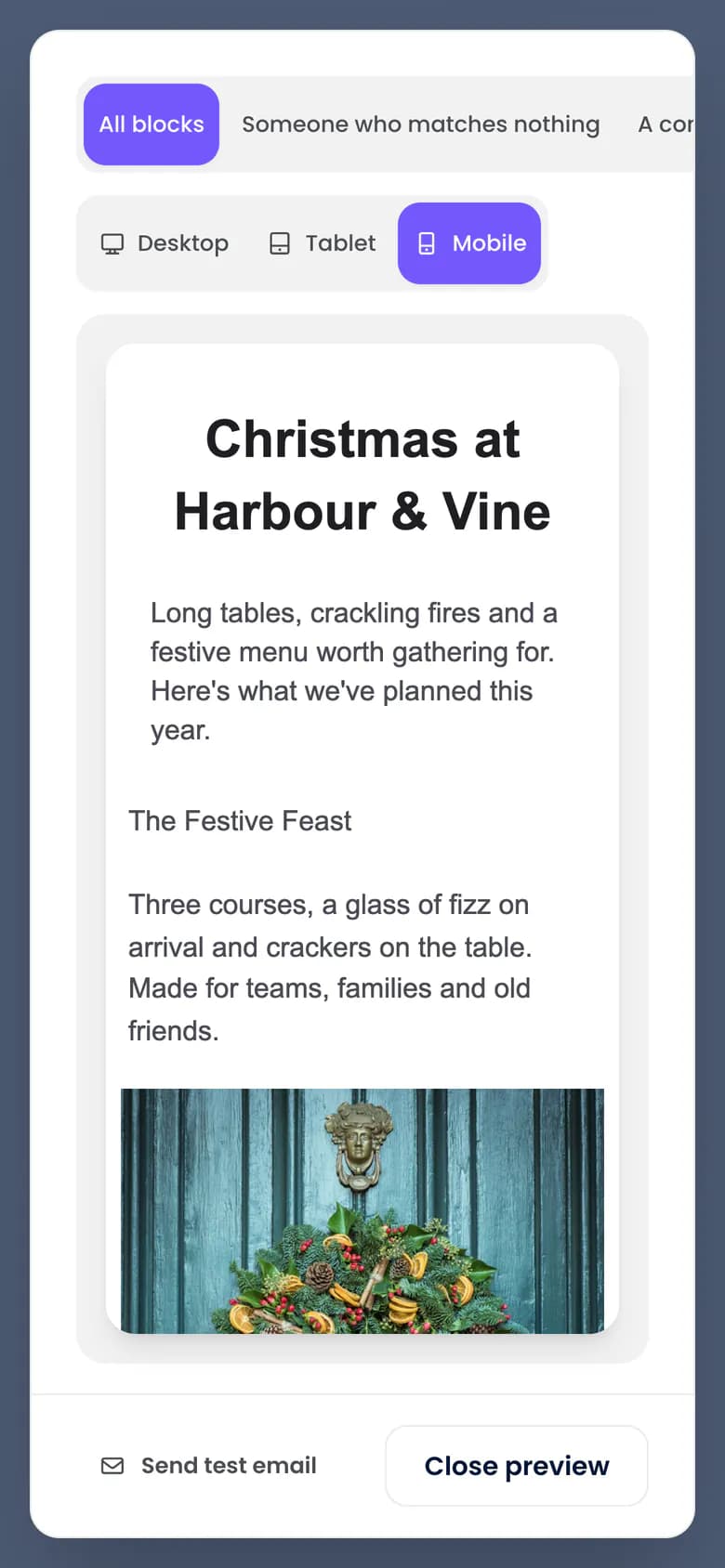
A drag-and-drop builder that follows your brand kit's colours, with desktop and mobile previews and seven starter templates. Every email carries a footer that cannot be deleted, with unsubscribe and manage-preferences links signed for each guest. The same brand kit styles your sign-up forms, survey pages and offer page with its colours, fonts and logo.
- Drag-and-drop builder whose blocks and colour pickers follow your brand kit
- Seven starters: welcome, win-back, birthday, event, seasonal, offer voucher and post-visit survey
- Video, product card, promo code, offer voucher, survey button, social links and sanitised custom HTML, with a report of anything removed
Can different guests see different content?
Yes. Show a block to a segment, a tag or a custom condition, with a live count of who sees it. Merge fields carry fallbacks, so a missing first name reads "Hi there", and an unknown field blocks scheduling until it is fixed.
- Up to 16 conditional blocks per email, each with a live count of who sees it
- Merge fields with fallbacks, showing how many guests lack a value
- Preview as a named guest, with the reason each block shows
How do I know who a campaign will reach before I send?
The preview tells you before anything goes. It counts everyone left out by reason and shows a sample of real recipients. Consent is checked at approval and again just before each email, so a guest who unsubscribes in between is left out and counted. SMS and WhatsApp campaigns start from the same audiences and pass the same consent check.
- Exact counts by reason: not subscribed, suppressed, paused, in a cooldown or in a holdout (a group held back on purpose to measure the result)
- A rendered sample of real recipients before you approve
- Consent checked at approval and again just before each email
- Cancel stops queuing at once; an email already mid-send may still arrive
How do I test and resend campaigns?
Test two to four versions of the subject line, the sender or the whole email on 10 to 50% of the list. After a wait of 1 to 24 hours the rest goes to the leader on human opens or human clicks, or to your own pick. The report calls a winner only when a 95% range clears zero; otherwise it says "Too close to call". The automatic rule still sends the leader, so pick by hand for a close test.
- A/B tests of two to four versions, with "Too close to call" when the gap could be chance
- Resend to non-openers 24 to 168 hours later with a new subject, keyed on human opens
When do emails arrive?
At a set local time in each guest's own time zone if you choose, and no more often than your weekly email cap allows. Email quiet hours run on your account's clock and defer a send rather than dropping anyone. The weekly cap and quiet hours apply to campaign emails. An A/B test, a resend, local-time sending and best-hour sending cannot be combined on one campaign.
- Send at a set local time in each guest's time zone, released in waves
- A weekly email cap, quiet hours and a cooldown on campaign emails
- Best-hour sending from each guest's own engagement history: a prediction, not a promise
- Language versions in locale tabs that inherit from the base email
How does Engage protect my sending reputation?
Email goes from your own authenticated domain, through SendGrid's EU region by default. Bounces and complaints are acted on as they arrive, and each one adds to a reputation score. Past its threshold, new campaigns cannot be scheduled and sending campaigns pause. The Overview page shows your sender health.
- Your own sending domain, authenticated and re-checked every 10 minutes
- Hard bounces suppressed, spam complaints opted out of every email group, one-click unsubscribe on every marketing email
- A reputation score that blocks scheduling and pauses sending past its threshold
What does the AI do in the email builder?
The writing tools help with the words and never see your guests. The subject-line score rates each subject from 0 to 100 as you type and names the changes that matter most. Suggestions that break your length, merge-field or never-say rules are dropped, never repaired.
- A rules-based subject score from 0 to 100, free and instant
- The writing tools send no guest data to the model: only your copy, brand voice and never-say list, with typed emails and phone numbers masked
Questions
Can I send from my own domain?
Yes. Every email goes from your own sending domain once it is authenticated. Onboarding walks you through the DNS records, and Engage re-checks them every 10 minutes.
Are there templates for hospitality?
Yes. Seven starters: welcome, win-back, birthday, event, seasonal, offer voucher and post-visit survey. Each is copied into your account when you pick it, so you edit your own version.
Does Engage choose the best send time for me?
It can. Best-hour sending sends each guest the email at the hour they usually open or click, worked out from their own history. Guests with too little history, or who have objected to profiling, get your account's default hour. It is a prediction, not a promise. Or set a local time, and every guest gets the email at that time in their own time zone.
Can I send emails in more than one language?
Yes. Add a locale tab for each language or regional variant, such as French or Canadian French. A tab overrides only what you change and inherits the rest, and each guest gets the version that matches the language on their record.
Do opens still mean anything with Apple Mail Privacy Protection?
Far more than raw opens do. Apple Mail fetches every image and security scanners click links, so some opens and clicks are machines. Engage classifies them as they arrive and headlines the human figure, with the machine figure beside it. Anything it cannot tell apart counts as a person, so the human figure can lean high, and a rate with nothing to divide by reads "not measured", never 0%.
Send your first campaign
The free plan is listed at 500 credits a month, with unlimited* contacts and no card needed.