
WhatsApp campaigns with approved templates
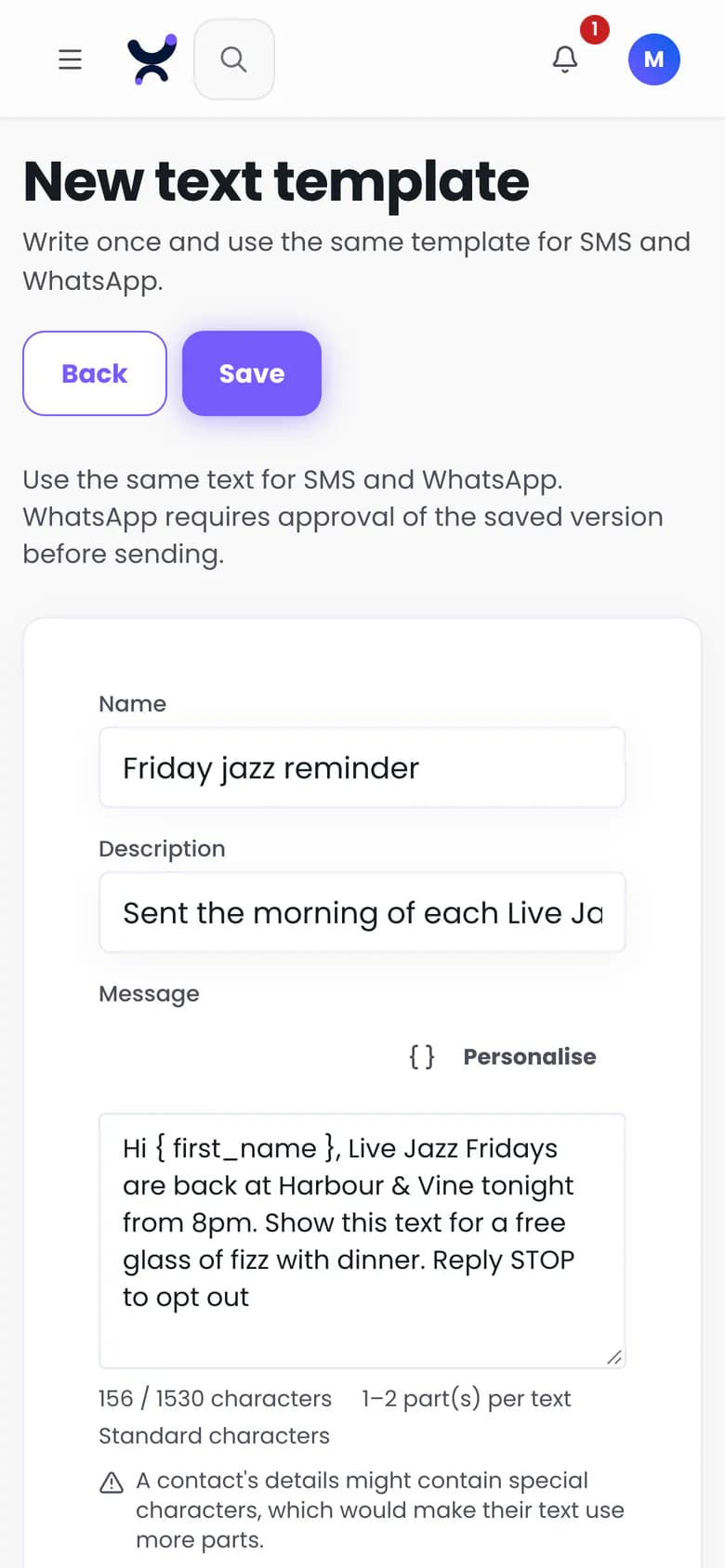
Send WhatsApp campaigns to the same audiences as your email and texts, under the same consent record. Write templates in Purple Engage, submit them to Meta through your own Twilio account and send once they are approved. Each message uses one credit from your plan, Twilio bills it, and Purple adds no markup.
How do WhatsApp campaigns work in Engage?
Template first: Meta must approve a template before a business can send it. Once you connect a WhatsApp sender, WhatsApp joins email and SMS in the same campaign builder, with the same audiences and consent checks. Like texts, WhatsApp messages go only between 08:00 and 20:00 in each guest's own time, or inside a narrower window you set. The report shows sent, delivered, read, failed and opt-outs.
- Write templates with a fallback for every merge field
- Submit them to Meta through your own Twilio account
- Track each one as pending, approved, rejected, paused or disabled, synced from Meta every 15 minutes
- Send campaigns only with an approved template
What happens if Meta pauses a template?
The campaign that uses it pauses too, with the reason shown, so Engage does not keep sending a template Meta has withdrawn.
- A paused or withdrawn template pauses its campaign, with the reason
Who bills for WhatsApp messages?
Twilio, on your own account, the same way as SMS, and Purple adds no markup. Each message also uses one credit from your plan, like an email. The preview estimates the cost from a stored copy of Meta's rate card, and caps per send and per month refuse a send before it starts.
- Billed by Twilio on your own account, with no Purple markup
Which countries can I send WhatsApp campaigns to?
Any country your Twilio WhatsApp sender can reach, with one exception. Meta has paused marketing templates to US numbers, so Engage blocks them by default. Utility templates are unaffected.
- Any country your Twilio WhatsApp sender can reach
- No marketing templates to US numbers, blocked by default
What happens when a guest replies STOP?
WhatsApp to that guest ends at once and the number is suppressed. The opt-out lands in the same consent record that email and SMS read, so no import, connector or API call carrying older or undated evidence can undo it. A text reply never changes email consent.
- STOP ends WhatsApp at once and suppresses the number
- A STOP from a US number ends texts and WhatsApp together
- HELP replies answered, with no change to consent
Questions
Do I need a Twilio account for WhatsApp?
Yes. Engage submits templates to Meta and sends messages through your own Twilio account, and WhatsApp sender approval is done in your Twilio console.
Can I cap what I spend on WhatsApp?
Yes. Set a cap per send and a rolling monthly cap in your account's currency, and Engage refuses a send that would go over before it starts.
How do I start using WhatsApp?
Connect your Twilio account and a WhatsApp sender, submit your templates to Meta, and once a template is approved, send it to guests who have given WhatsApp consent.
Can I send WhatsApp marketing to US numbers?
No. Meta has paused WhatsApp marketing templates to US numbers, and Engage blocks them by default. Utility templates are unaffected.
Connect Twilio and write your first template
Connect your own Twilio account and a WhatsApp sender. Twilio bills the messages with no Purple markup, and contacts are unlimited* on every plan.