
Offers
Offers guests redeem in the venue, with the cost counted
Give each guest a single-use code with caps, windows and a budget that ends the offer. Redeem it on their phone, in a staff app or at supported tills, then see issued, redeemed and cost against budget.
What kinds of offer can I create?
Seven types: percentage off, money off, fixed price, free item, buy X get Y, spend and get, and perk. Each offer carries its own rules, so a free dessert can run on weekday afternoons at two venues while a percentage off runs everywhere.
- Percentage off, money off, fixed price, free item, buy X get Y, spend and get, and perk
How long does an offer take to set up?
Three steps, with a live phone preview: the offer, the rules, then the look. The headline fills itself in, standard terms are already written and drafts save as you go. Once an offer is live, anything that would change what issued vouchers are worth is locked, and limits can only be raised.
- Three steps with a live phone preview of the voucher page
- A "Make it live" check lists every gap at once
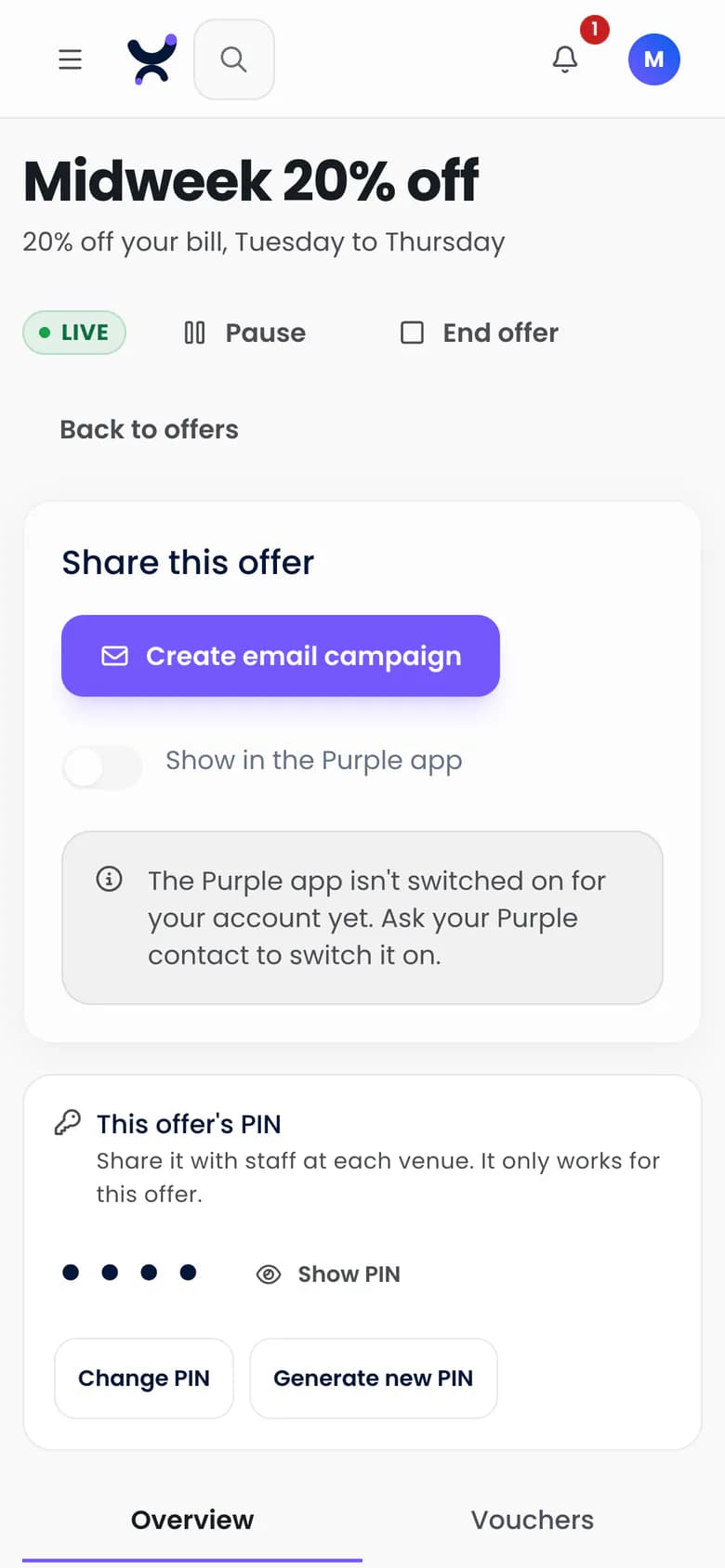
- Ending an offer, by hand, at its end date or at a cap, expires every unredeemed voucher and cannot be undone
What rules can I put on an offer?
Where, when, how often and how much. Choose venues, set redemption windows by day and time band in your group's time zone, and add an expiry. Caps limit redemptions in total, per guest and per venue, a cooldown spaces out one guest's repeat use, and a money budget ends the offer when it is reached.
- Chosen venues, or all of them
- Redemption windows, such as Tuesday to Thursday, 2 to 5pm
- Expiry a set number of days after issue (30 by default) or on a fixed date
- Caps in total, per guest and per venue
- A cooldown in hours between one guest's redemptions
- A money budget, counted as the cost per redemption you enter times redemptions. The offer ends itself at the budget, and shows "Not tracked" with no cost entered
- One single-use code per guest. Two staff scanning the last two vouchers at once cannot overshoot a cap
How does a guest receive an offer?
Each guest gets a unique single-use code. Send it in an email campaign, issue it from a journey or let guests near a venue claim it in the Purple app. A hosted voucher page opens it on the guest's phone with no app needed.
- A unique single-use code per guest
- The Offer block in email, with a code, expiry and link personal to each recipient, and a QR code for till offers
- A hosted voucher page in the offer's brand kit, with a QR code and barcode for till offers
- "Send an offer" from Campaigns, with the offer email ready made
- An Issue offer step in any journey
- The Purple app, once Purple switches it on for your group, where guests near a venue can claim the offer
- A tile on the Purple WiFi login page at the venue
How do staff redeem an offer without a till integration?
Three ways, none of which need a till connection. Staff type a PIN on the guest's phone, the guest redeems on their own screen while staff watch, or staff use the Engage staff web app. Every rule is checked first, and a refusal comes in plain words, such as "already used at 14:32".
- A staff PIN of four to six digits on the guest's phone. Five wrong tries lock entry for 15 minutes
- The guest's own screen, with a moving watermark and a countdown
- A staff web app that scans with the phone camera where the browser supports it (on Safari, staff type the code)
Which tills redeem Purple Engage offers?
Till redemption is a pilot that Purple sets up with you. A connected till redeems a code in one of three ways: the code is pushed into the till as a promotion, checked as it is entered, or read back when the settled sale syncs. Till connectors are in beta, and Engage never writes sales back to a till.
- Codes pushed into Lightspeed X-Series and Shopify as single-use promo or discount codes
- Checked as each code is entered at Toast and Lightspeed K-Series, with a voided bill returning the voucher
- Read back from synced sales at Square, Epos Now, Loyverse, Oracle Simphony, Lightspeed X-Series and Shopify
What does the offer report show?
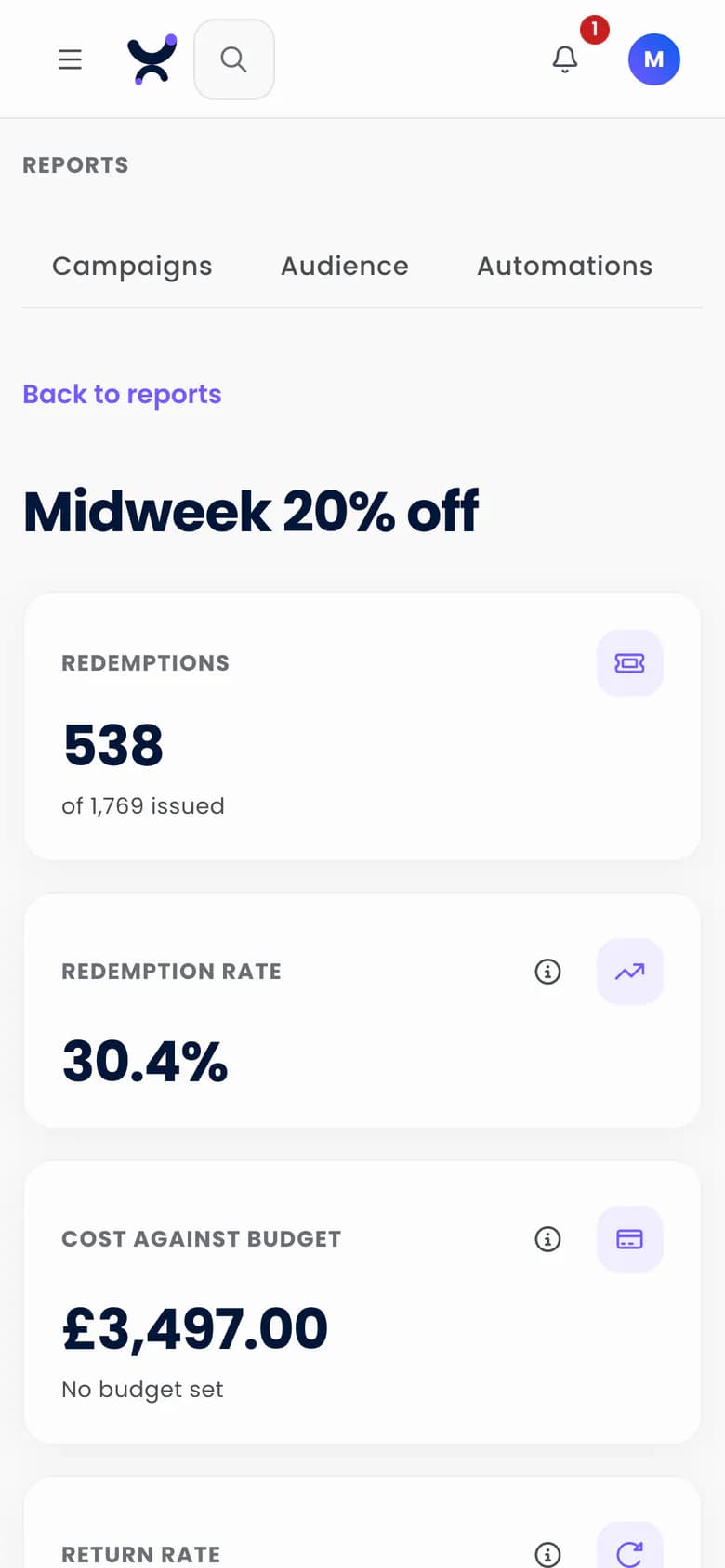
Issued, viewed and redeemed, with the drop-off between each, redemptions by venue, method, day and hour, and cost against your budget. Where a holdout is set, return visits show once each group is big enough, as a single estimate. Visits come from WiFi, so they are a lower bound.
- Issued, viewed and redeemed, by venue, method, day and hour
- Cost against budget, redemption rate and time to redeem
- Return visits within 14 days, shown once each group has 50 guests, as a single estimate with no range
- A holdout of 0 to 20%, set through the API (new offers start at 0%). A held-back guest stays held back whichever campaign or journey carries the offer
Questions
When does the report show return visits?
Where a holdout is set: once the guests sent the offer and the guests held back each number 50 or more, and their window (14 days by default) has passed. Below that the report says how many more it needs, never a zero. The figure is a single estimate with no range, and because visits come from WiFi it is a lower bound.
Do you do loyalty points, stamps or wallet passes?
No. Engage has no points or stamps scheme and no wallet passes. Rewards are single-use vouchers with caps, a cooldown and a budget, and a journey can issue a voucher after a purchase above a minimum spend.
Set up your first offer in three steps
The free plan is listed at 500 credits a month, with unlimited* contacts and no card needed.